Log in


 The WoW-Vision Mount Atlas is a magical library of your adventures, a treasure trove of memories and, of course, your trusty steeds. This is not just a menu, but a portal to the world of your conquests and discoveries.
 🌌 Atlas of Vehicles: Hero's Gallery
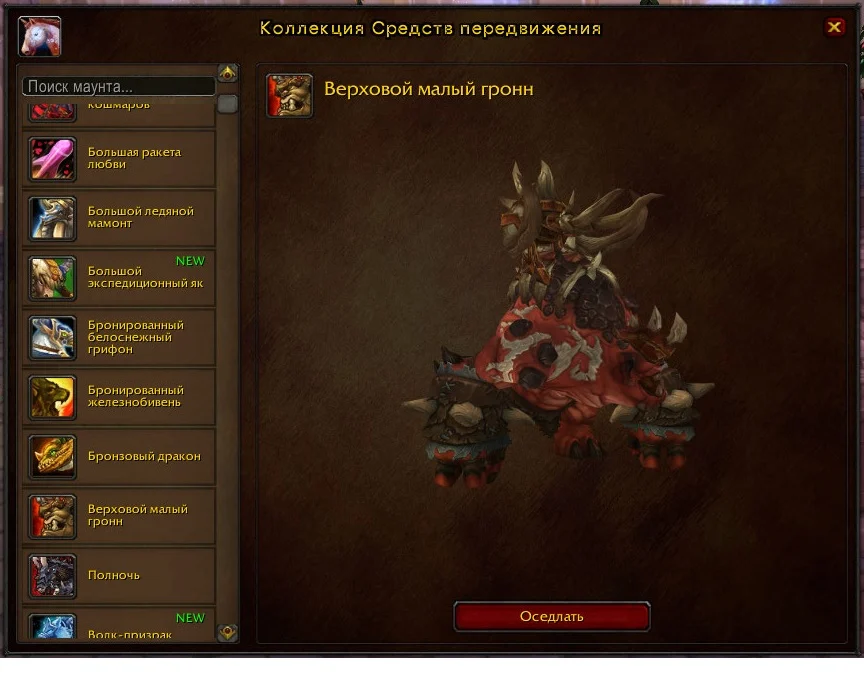
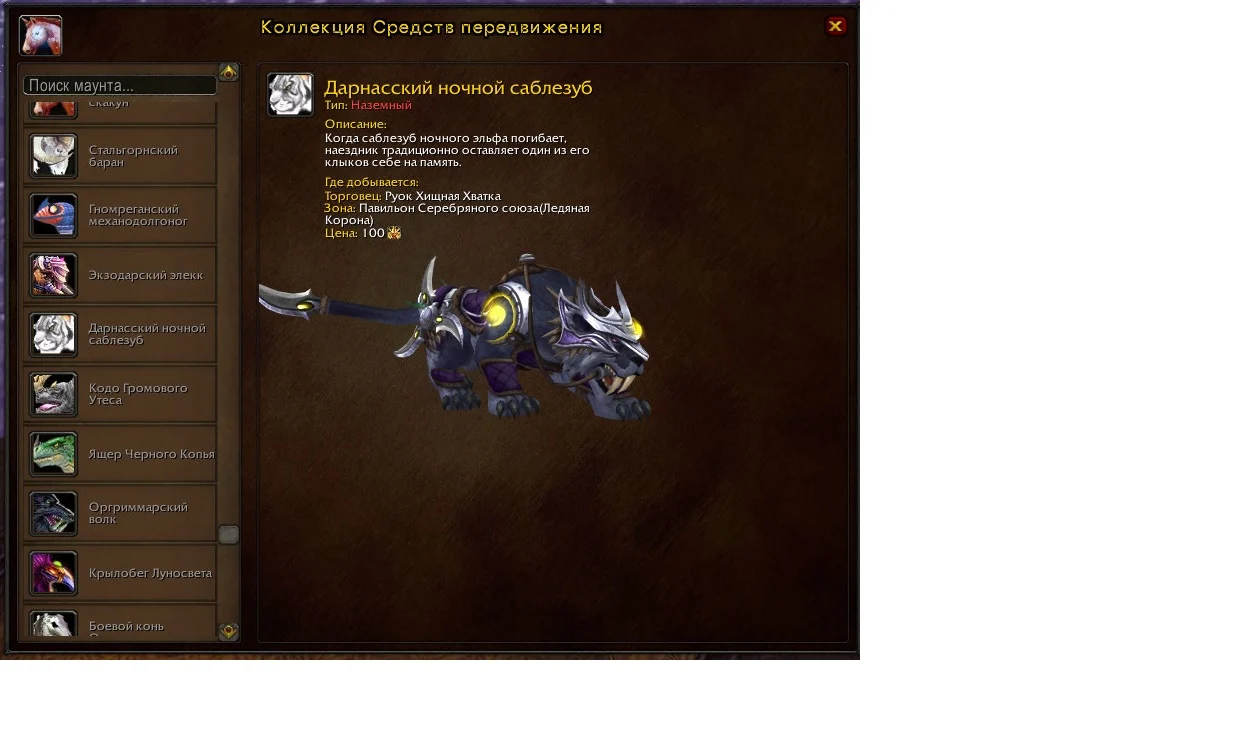
This is your personal window to the world of style and speed. When you open the Atlas (default key is Shift+P), you find yourself in a majestic hall where all your trophies are collected.
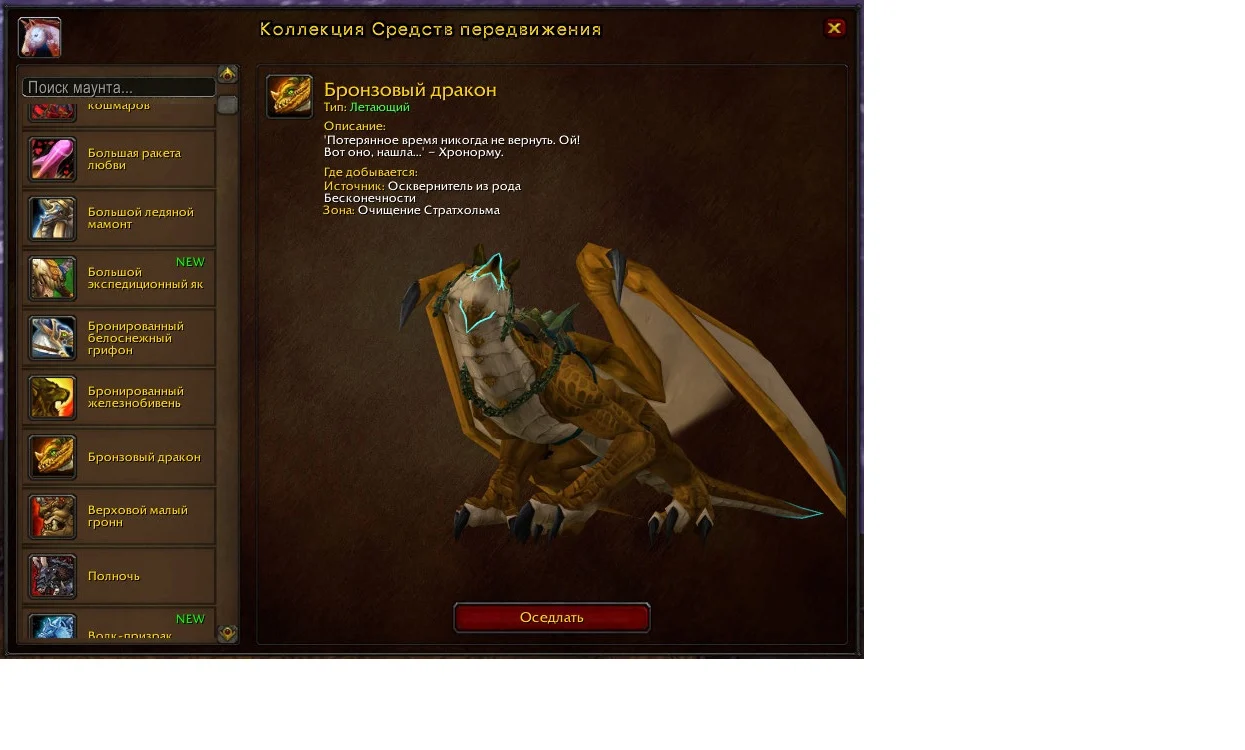
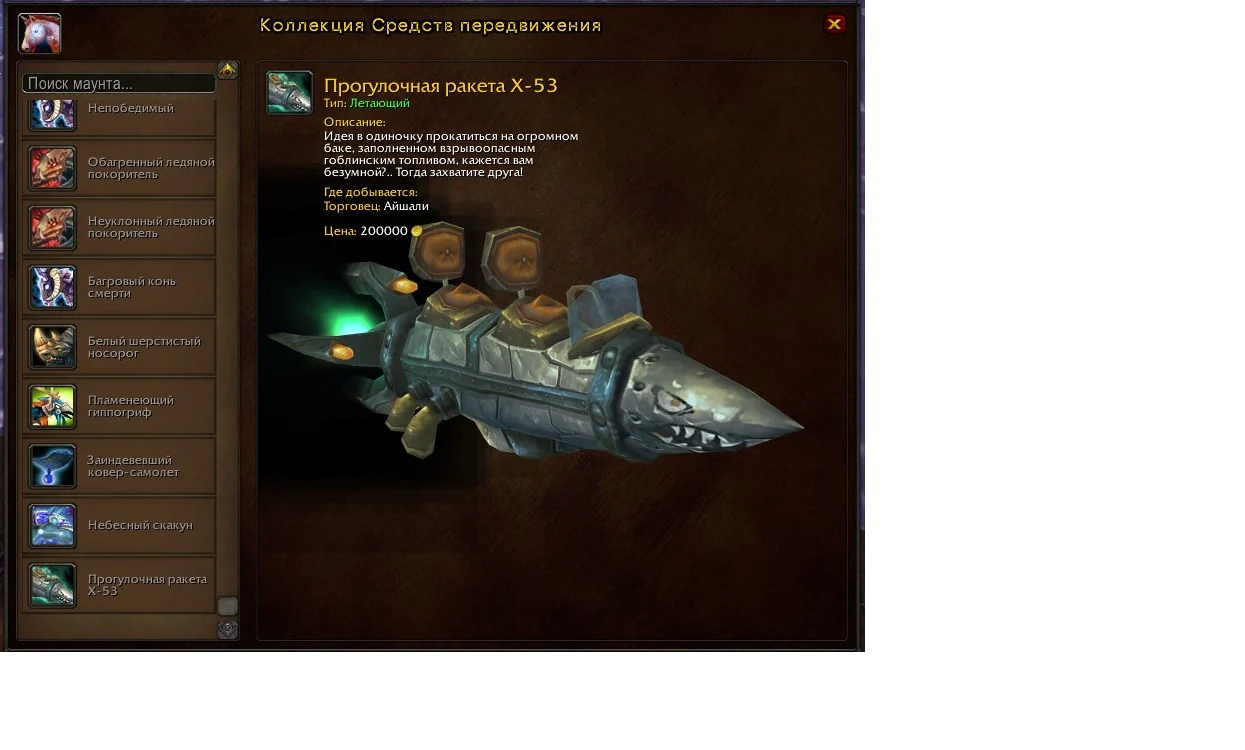
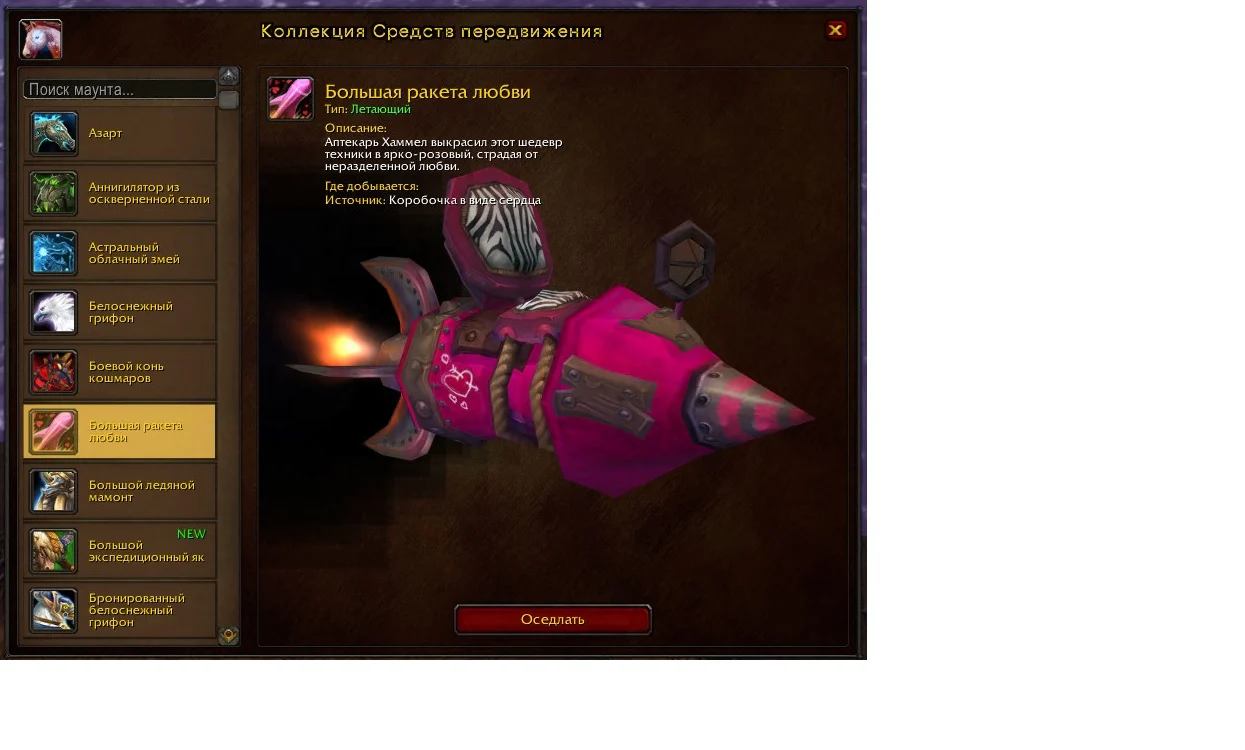
🎨 Interface Description:The Atlas interface is an elegant, mystical window framed in gold and runes, floating in the center of your screen:
- 3D Showcase: In the center of the screen there is not just an icon, but a living, rotating 3D model of your chosen vehicle. You can zoom in and see every pixel of texture, be it the shiny scales of a dragon or the intricate patterns on the armor of Death's horse. The models move: griffins flap their wings, mechanical mounts make a quiet hum.
- Information Panel : Next to the model is a scroll with details. Here you will find the name, type (ground, flying, water), rarity and most importantly, details on how to get it: "Dropped by boss Arthas in Icecrown Citadel", or "Reward for reaching 250 mounts". This is your shopping list and goals for the future.
- Collection: On the left is a huge grid of hundreds of icons. Each mount icon you own glows with a bright light. The ones you don't have remain translucent, like the shadows of ghosts beckoning you to collect them.
✨ Instant Use: Summoning MagicThe most convenient feature of the Atlas is its instant action:
- Select and Summon: You simply double-click on the mount you like, or press the "Summon" button under the 3D model.
- Instant Transformation: A second later, your character spectacularly summons your chosen mount out of nowhere, and you find yourself astride it, ready to travel!
The Mount Atlas is your personal museum of victories and a constant reminder of how much there is to explore in the vast world of World of Warcraft.